
Verdict: Buy — 8/10 The best rating-to-volume ratio of any WordPress deal in this batch: 4.85 stars across 281 reviews, for $49 covering 20 sites. Best for: freelancers and small agencies maintaining several WordPress sites who currently chase 404s one site at a time. Skip if: you run one small site, or your sites are large enough that the reported performance lag on big scans would bite. How we test →
Affiliate link. If you buy through it we may earn a commission at no extra cost to you, and it never changes a verdict — two of our fifteen reviews are Skips. Full disclosure.
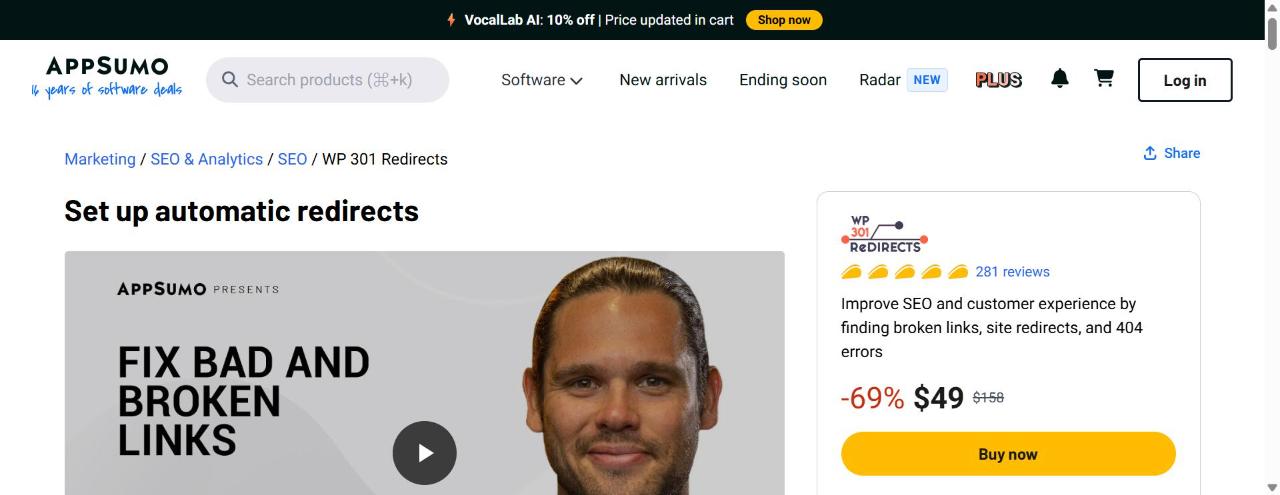
WP 301 Redirects finds broken internal and external links and 404s across WordPress sites and manages 301 redirects from one central multi-site dashboard. AppSumo sells a single tier at $49 covering 20 sites. The rating — 4.85 stars over 281 reviews — is the strongest evidence base in our WordPress set.
Affiliate disclosure: the AppSumo links on this page are affiliate links. We may earn a commission if you buy through them. The price you pay is unchanged, and we publish Skip verdicts on deals that pay us — two of them in this batch.
At a glance
| Price | $49 — single tier, no Tier 2 or Tier 3 [AppSumo product page] |
| AppSumo “regular” price | $158, shown as 69% off [AppSumo product page] |
| What $49 unlocks | 20 sites, 5 full-site scans per month, white labeling, license/site manager, remote site control, stats dashboard [AppSumo product page] |
| AppSumo rating | 4.85 stars, 281 reviews, 264 of them five-star [AppSumo product JSON-LD and page] |
| Deal status | Live. No end date announced as of 6 Aug 2026. |
| Vendor pricing | UNKNOWN — see below |
| Last verified | 6 August 2026 |
The break-even maths
Here is where we have to be straight with you, because most sites covering this deal will not be.
We could not verify the vendor’s own pricing. The pricing information at wp301redirects.com did not return figures when we checked on 6 August 2026. That means the usual calculation — lifetime price divided by the monthly subscription you would otherwise pay — cannot be performed honestly here. AppSumo’s struck-through $158 regular price is a claim we have no independent source for, and we are not going to build a break-even table on top of an unverified number. Our standing rule, set out in the guide to evaluating a lifetime deal, is that an unverifiable comparison price is worth zero, not worth the number printed next to it.
So we will do the two calculations we can do from figures we can stand behind.
Calculation 1 — cost per site.
Assumption: you actually have multiple WordPress sites to point this at.
- $49 ÷ 20 sites = $2.45 per site, one time.
- If you only have 3 sites: $49 ÷ 3 = $16.33 per site, one time.
Calculation 2 — cost against your own time.
Assumption: you value your working time at $50/hour, and finding and fixing broken links across a site currently takes you an hour per site per quarter using a crawler and manual redirect entry.
- $49 ÷ $50/hour = 59 minutes of your time.
- That is the entire payback period: if this tool saves you one hour, ever, across all 20 sites, it has paid for itself.
That second calculation is the honest case for this deal. It is not “it replaces a $158 product.” It is “$49 is under an hour of billable time and the job it does is one you are otherwise doing by hand.” For a freelancer maintaining client sites, that is a straightforward yes. For a hobbyist with one blog and forty posts, it is a tool you do not need, and the fact that it is cheap does not change that.
What we are not claiming: that you are saving $109. We do not know that.
What it actually does
The functional pitch, per the AppSumo listing, has three parts:
- Detection. Scans a WordPress site for broken internal links, broken external links and 404 hits, so you are working from a list rather than from complaints.
- Redirect management. Creates and manages 301 redirects, which is the correct status code for a permanent move and the one that passes link equity.
- Multi-site control. A central dashboard managing up to 20 connected sites, with remote site control, a license/site manager and a stats dashboard. White labeling is included, which matters if you are handing dashboards to clients.
The reason a redirect plugin is an SEO purchase rather than a housekeeping purchase is link equity. When you restructure a site, or migrate, or delete a category, the inbound links pointing at those old URLs keep pointing at them. A 404 wastes every one of those links. A 301 forwards them. And the crawl-budget argument matters too on larger sites: Google spending its crawl allocation on your dead URLs is crawl allocation not spent on your live ones.
Tier breakdown
There is no tier breakdown, and that is a point in its favour.
| Tier | Price | Sites | Scans/month |
|---|---|---|---|
| Only tier | $49 | 20 | 5 full-site scans |
One price, one feature set, everything unlocked. No “unlimited sites at Tier 4” upsell ladder, no features held back at the entry point. When a deal has eight tiers you have to work out which one is the honest entry; here the question does not arise.
Which tier to buy: the only one. The real decision is whether you need it at all, which the “who should skip this” section below addresses.
The limit to watch is 5 full-site scans per month, not the site count. If you are actively migrating a site and want to re-scan after each batch of fixes, five scans goes quickly. Plan your fix cycles rather than scanning reflexively.
Who should skip this
- Single-site owners with a small site. If you have one blog with fifty posts, the free Redirection plugin plus an occasional crawl covers you. Twenty site licences you will never use is not value, it is unused capacity.
- Anyone running a large site. The AppSumo listing’s own criticism section reports performance lag on large sites. A plugin that scans every URL is doing real work inside WordPress. If you have tens of thousands of URLs, test this on staging before it goes anywhere near production, and be prepared to conclude that a server-level or crawler-based workflow suits you better.
- Sites already handling redirects at the server or CDN layer. If your redirects live in nginx config or in Cloudflare rules, adding a database-driven WordPress redirect layer gives you two places where redirects can exist and two places to debug when one fires unexpectedly. Pick one layer.
- Anyone who will not read what it proposes before applying it. See the known problems below. Unintended redirects are the failure mode here, and they are the kind of failure that is invisible until traffic drops.
- Non-WordPress sites. Obvious, but worth stating: this is a WordPress plugin. There is nothing here for a Shopify, Webflow or static site.
Known problems
From the AppSumo product page:
- Performance lag on large sites. Reported by reviewers. This is the most substantive complaint and it defines the ceiling of who this tool suits. Scanning is expensive, and doing it from inside WordPress on a large site is expensive in the place you can least afford it.
- Reports of unexpected or unintended redirects firing. This is the one that should shape how you use it. An unintended redirect can quietly send a ranking page somewhere it should not go, and you will not notice from the WordPress admin — you will notice from a traffic graph weeks later.
Practical mitigations for the second issue, none of which are exotic:
- Take a database backup before your first bulk redirect operation.
- Export the redirect list after each change, so you always have a diff.
- After any bulk action, crawl the site and confirm your top twenty pages by traffic still return 200.
- Watch Search Console’s Page Indexing report for a week afterwards for a rise in “Page with redirect” on URLs you did not touch.
The 4.85-star average over 281 reviews says these problems are the exception rather than the norm. That is a meaningfully large sample — most deals in this batch have between 25 and 60 reviews — and it is the main reason this is a Buy rather than a Consider.
Alternatives
Redirection (free, WordPress.org). The default answer for a single site. It manages 301s, logs 404s, and costs nothing. What it does not do is scan proactively for broken links or manage twenty sites from one dashboard. If you have one site, start here, and only buy something when you can name the thing Redirection is not doing for you.
Rank Math or Yoast Premium redirect modules (subscription — the non-LTD option). If you already run one of these as your SEO plugin, you may have redirect management sitting unused in a tab. Rank Math’s redirection module is in the free version. Check what you already own before buying anything.
Screaming Frog SEO Spider (£199/yr, desktop). Different category, better detection. A desktop crawler will find broken links more thoroughly and faster than any in-WordPress scanner, on sites of any size, and it works on non-WordPress properties too. It will not create the redirects for you. Several agencies sensibly run both: crawler for detection, plugin for implementation.
FAQ
What does the $49 actually cover? Twenty sites, five full-site scans per month, white labeling, the license and site manager, remote site control and the stats dashboard, per the AppSumo product page. It is a single tier — there is no Tier 2 to buy up to.
Is the “$158 regular price” real? We could not verify it. The pricing at wp301redirects.com did not return figures when we checked on 6 August 2026, so the vendor’s actual ongoing price is UNKNOWN and we have not built any savings claim on top of AppSumo’s struck-through figure.
Will it slow my site down? Reviewers report performance lag on large sites, per the AppSumo listing. Scanning is the expensive part. Test on staging first if your site is large, and schedule scans rather than running them during traffic peaks.
Can it break my site? It can misroute traffic. There are reports of unexpected redirects firing. Back up before bulk operations and verify your top pages return 200 afterwards. That is cheap insurance and it is the discipline this tool asks of you.
Do I need this if I already use Rank Math? Probably not for one site — Rank Math includes redirection. The case for this plugin is the multi-site dashboard, which Rank Math does not offer.
Is 281 reviews a lot? For this catalogue, yes. It is the largest sample among the WordPress deals we reviewed, with 264 of the 281 at five stars, which is why we weight the rating here more heavily than on deals with 25 or 30 reviews.
Related reading: our best WordPress plugin lifetime deals roundup, plus two other WordPress deals from the same batch — Internal Linking Related Contents and SEO Generator.
Last verified: 6 August 2026. Price, tier structure, rating and deal status re-checked against the AppSumo product page on that date. Vendor pricing attempted at wp301redirects.com on the same date and could not be retrieved.